
iDash Beta Firmware Update Tutorial
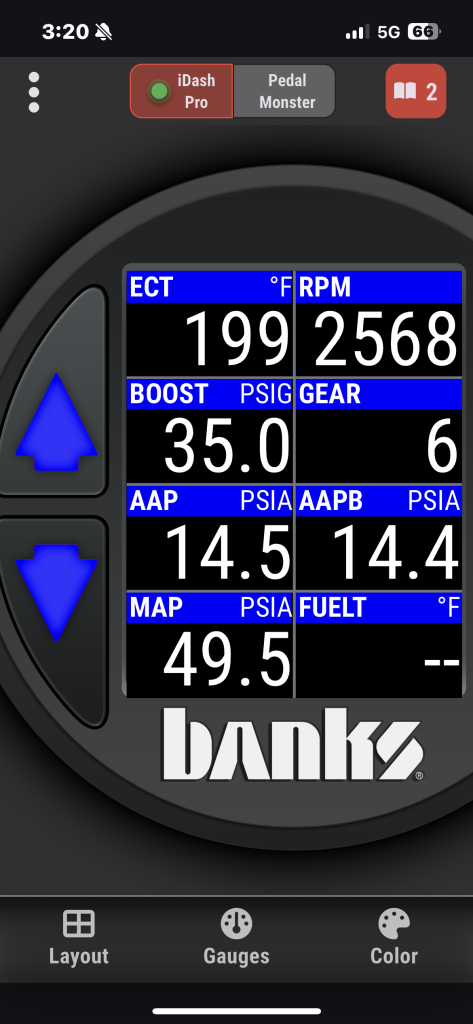
1. Turn on your vehicle, power up the iDash and sync to iDash app
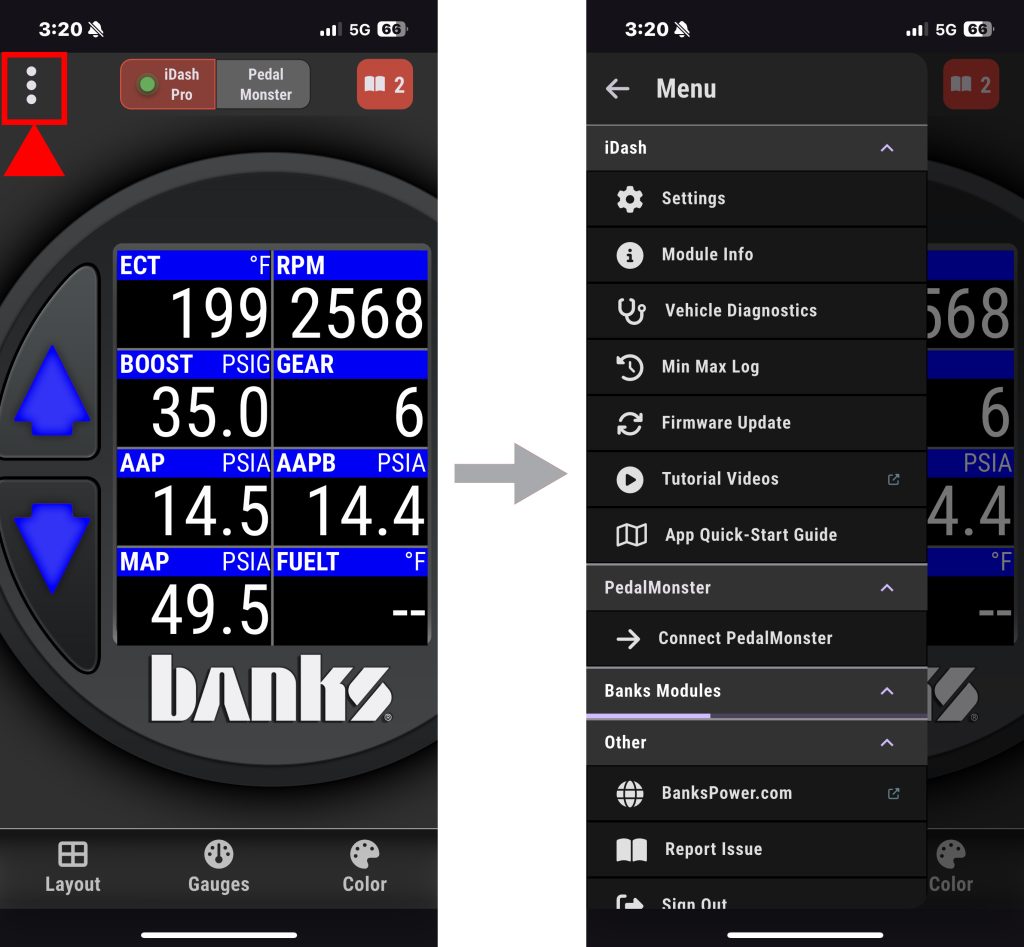
2. Once the mobile app is connected, open the menu.
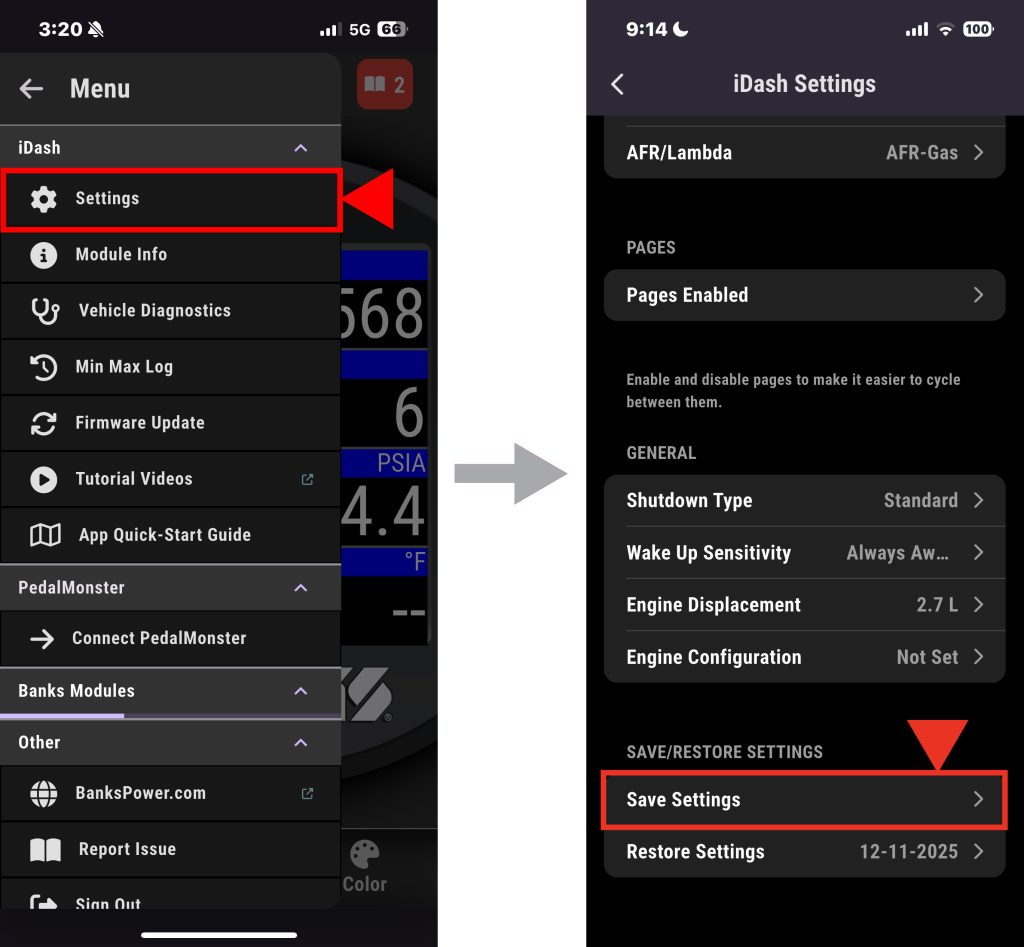
3. Go to your settings, tap save settings.
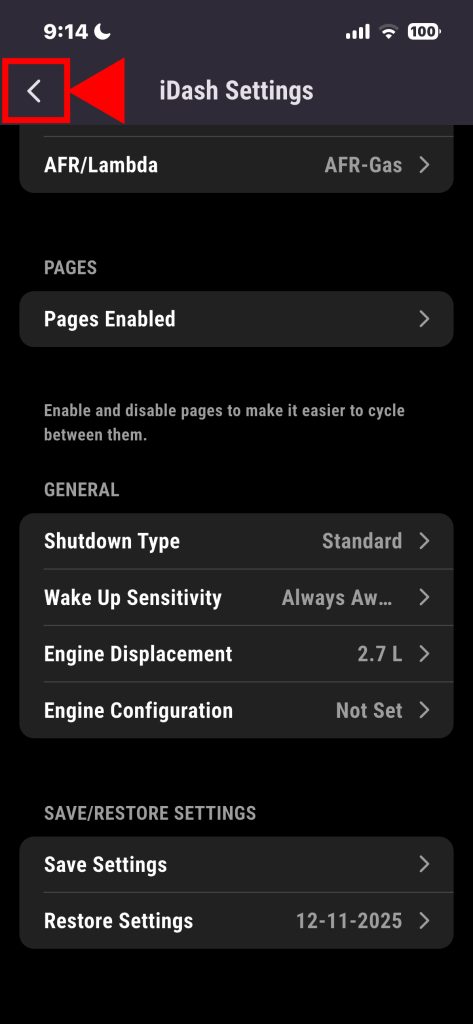
4. After, tap the back button to the menu.
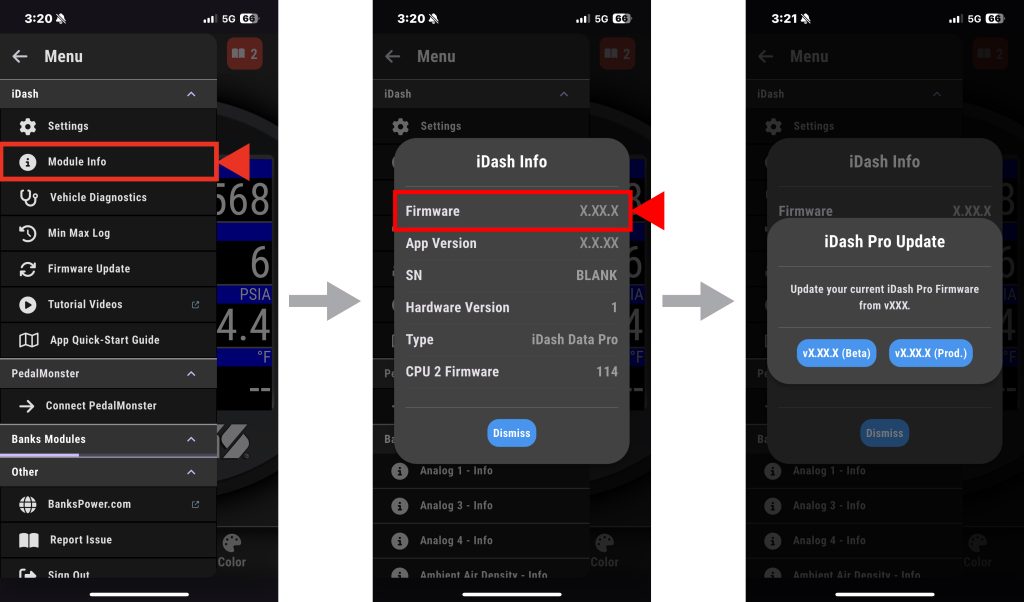
5. Tap the Module info tab, Long press the firmware and a secret pop up will appear like this.
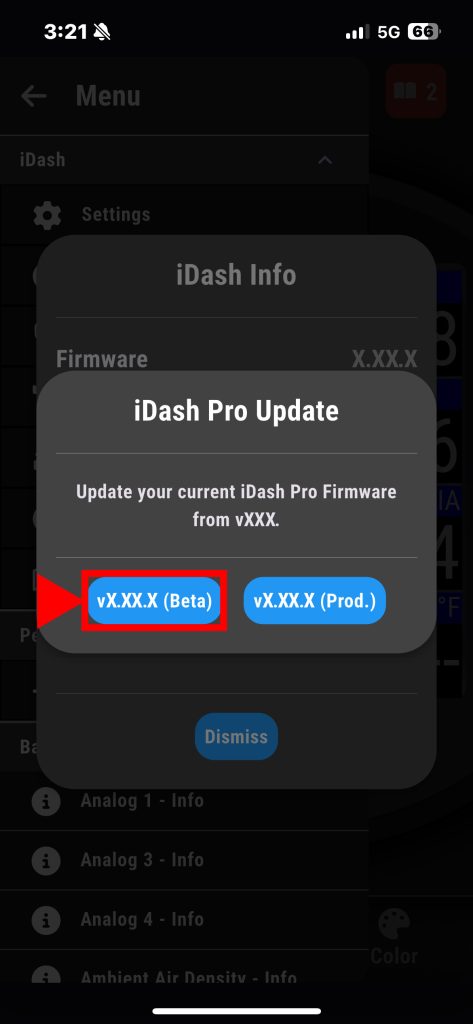
6. Select iDashPro X.XX.X (beta), the update will start. This process can take some time and you will need to have the app open to complete.
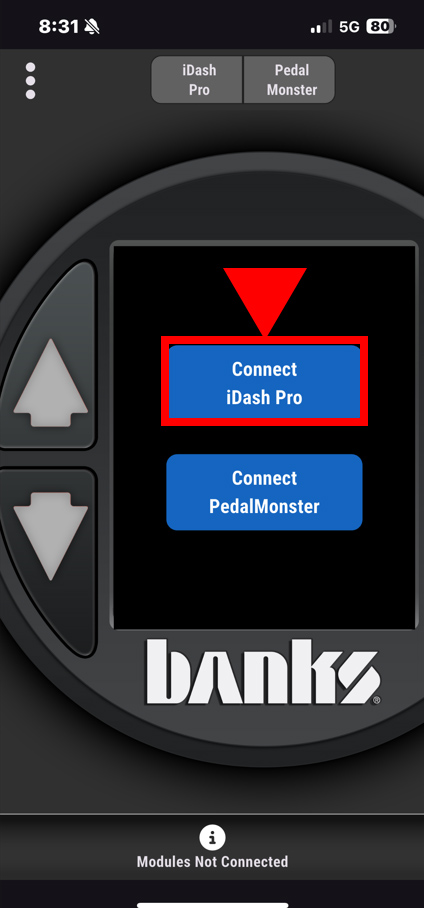
7. Note, the iDashPro may power off a few times while it installs the new firmware, this is normal. While installing the update, the screen on the iDashPro will turn off for a moment and flash a color sequence on the buttons.
After this is complete, it will show a message on the app saying the update is complete. You will select the “connect to the iDash” option.
NOTE: If your app stalls, close and restart the app.
• IOS – Swipe the app up to close it, then reopen it from the Home Screen.
• Android – Open the Recent Apps view, swipe the app off the screen to close it, then reopen it from your Home Screen or app drawer.
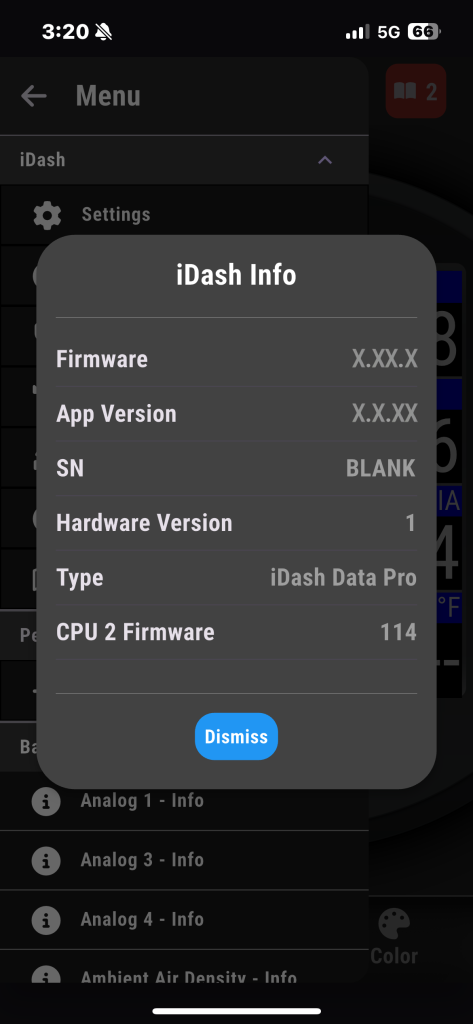
The update will finish. There will be a few load screens, but everything should wrap up shortly.
Once complete the firmware should look like this page with the new update firmware numbers.
NOTE: The app may request you close and reopen if there is an issue. If there are any error codes that come up, be patient and wait. If for some reason it stops, force stop the update and start over. After completed it should say in in the module info iDashPro 1.09.3.