



Trevor from Mango Tango recently addressed the sluggish pedal response on his 2023 RAM 1500 5.7L. “The stock throttle calibration is frustrating,” Trevor explains. “Manufacturers build in delay to squeeze out minor fuel mileage gains. However, this lag makes city driving feel clunky. There is nothing off the line, and then the truck surges forward suddenly. That hesitation prompted me to install the Banks PedalMonster.”
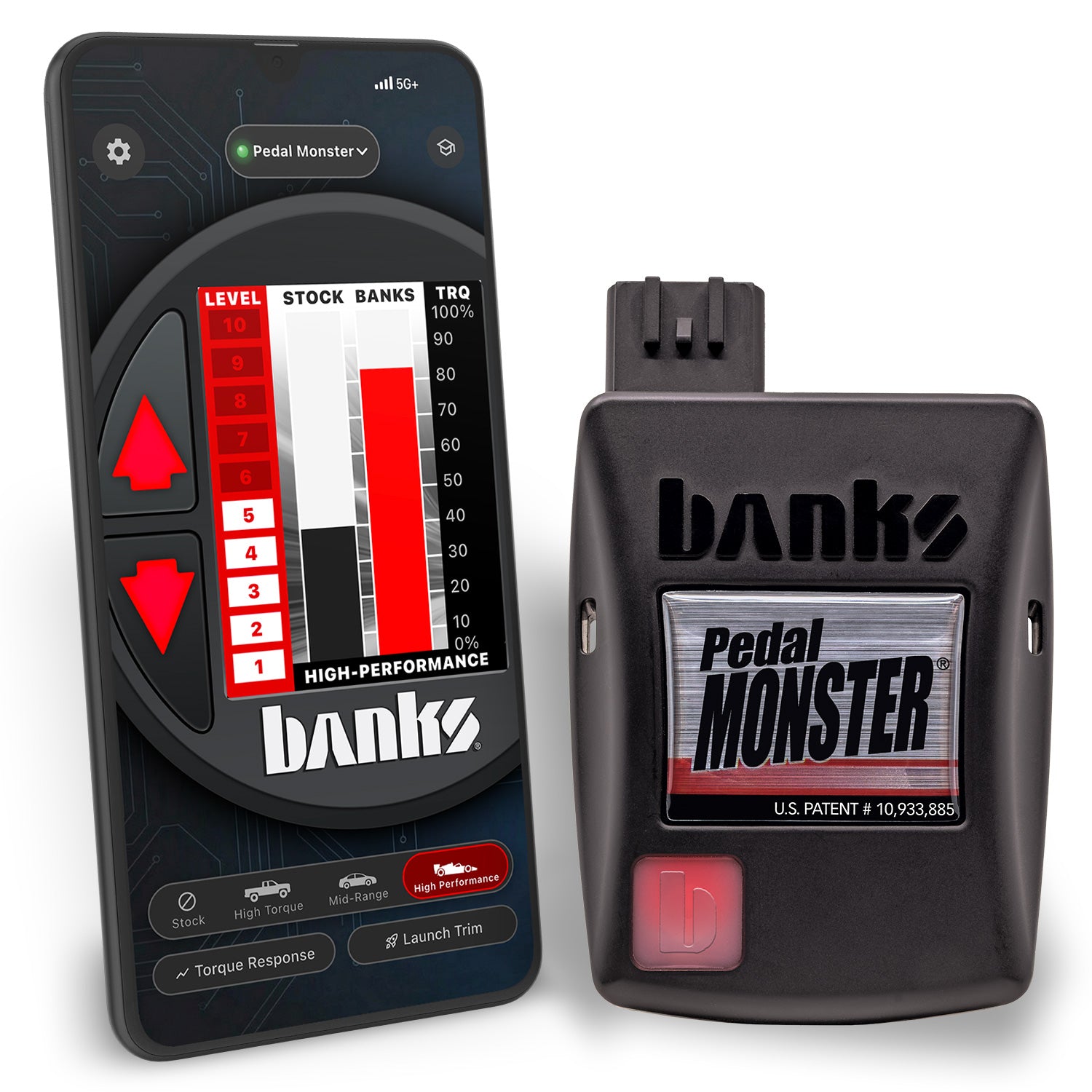
Installation took only minutes using simple plug-and-play factory connectors. Trevor configured the settings using the Banks mobile smartphone app before his test drive. “The difference is night and day,” Trevor reports excitedly. “I tapped the throttle, and the truck responded instantly. It feels like the truck should have from the factory. I recommend this upgrade to every RAM owner.”
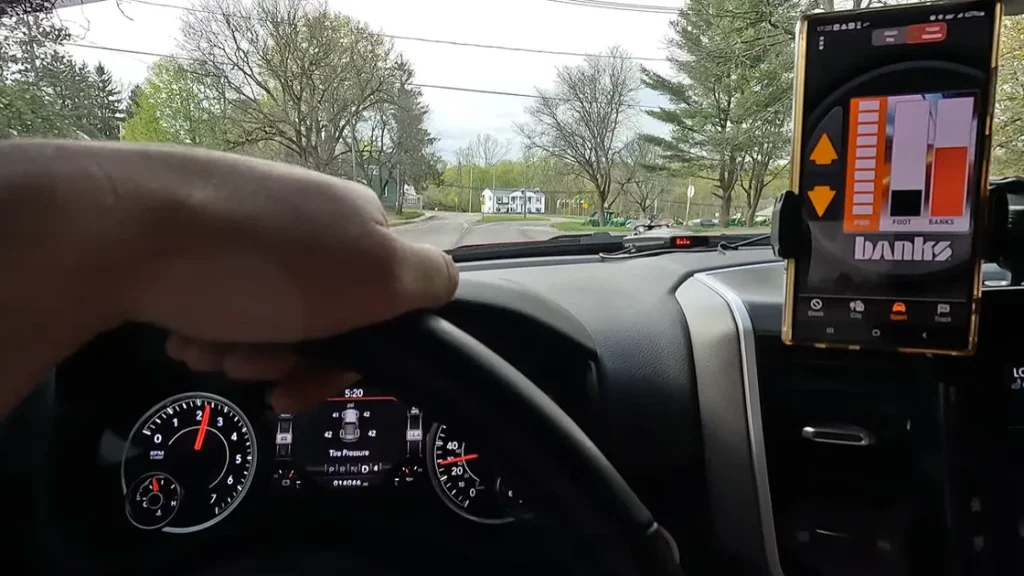
After a quick install and demonstration of the Banks mobile app, Trevor takes the truck for a spin and is immediately impressed with the Banks PedalMonster. “Wow, this thing is like night and day. I just tapped the gas and it just moved!” After adjusting it to his liking, he finds the sweet spot. “It actually feels the way it should have come from the factory. This truck now drives the way that it should. I can’t recommend the Banks PedalMonster enough.”

[00:00:00] What’s up guys, welcome back to the channel. It’s been a minute since I made a video, it’s been a long winter.
[00:00:15] We’re going to be doing some changes on the truck, so some exciting content coming up this summer.
[00:00:20] To kick off the end of the hiatus, today we’re going to be installing the Banks PedalMonster.
[00:00:24] Of course, like always, we’ll do a thorough install and take it for a drive, and I’ll let you guys know my thoughts on it.
[00:00:28] I am super excited to get this thing installed. It’s been something I’ve wanted to do for a long, long time.
[00:00:33] As many of you know, if you own one of these trucks, the stock pedal calibration is absolutely horrible.
[00:00:44] I understand the theory behind it for better fuel mileage, but they claim a more enjoyable ride—it is absolutely not more enjoyable at all.
[00:00:50] I actually kind of hate driving this truck anything below like 30 or 40 miles an hour.
[00:00:56] If you’re cruising through a neighborhood or going down a street with multiple traffic lights or stop signs, the pedal lag is just God awful.
[00:01:02] There’s just nothing, nothing, nothing, and bam—it goes. It makes the truck kind of clunky at lower speeds.
[00:01:15] That is the main reason why I’m installing this, just for a more enjoyable ride.
[00:01:22] Hopefully, with any luck, this PedalMonster will cure all of those issues and make it more enjoyable to drive.
[00:01:27] We’ll do a quick unboxing here. You get a little notice: “Remove before dealer visit.” Probably not a bad idea, under warranty or not.
[00:01:34] Here is the main module, some connectors, stickers, and directions.
[00:01:46] This is a pretty simple plug-and-play deal, so we probably won’t need the instructions much.
[00:02:03] It’s all plug-and-play, so we’re going to get to work, get this thing installed, and see what it does.
[00:02:07] First, we are going to unplug the pedal. They say you’re supposed to disconnect the battery, but I’m not too worried about it. You can if you want.
[00:02:20] If you have this style connector, pull on this black tab. As you pull this black tab out, the connector lifts up out of the pedal.
[00:02:35] Next, take the PedalMonster harness and plug this end into the truck side.
[00:02:50] Push on this locking tab until it’s fully locked.
[00:03:01] Do the push-pull test to make sure that it is in there and locked.
[00:03:16] Take the other end, plug it right into the pedal, and push that tab until it is fully closed. We are good to go on the pedal side.
[00:03:31] For the actual module itself, that is where this other harness comes into play.
[00:03:44] This plugs into your OBD port for 12-volt power. Find your OBD port under the dash.
[00:03:53] Plug this into your OBD port, and then take the other end and plug it into the PedalMonster itself.
[00:04:11] Take the four-pin end and put it in there, and then the six-pin goes into either slot.
[00:04:19] If you don’t have the iDash and just have the standalone like I have, you’ll have an open port.
[00:04:28] The second port is for the iDash controller, but we’re just going to control this off our phone. Either port will work.
[00:04:39] Next, we’ll download the app and get this all set up. I’m going to clean up all these wires off-camera with the included zip ties.
[00:04:49] Download the Banks app. Once you open it, hit allow and turn the truck on.
[00:05:04] Put the module in pairing mode. There’s a little orange button on the back of it.
[00:05:30] Use something small like a pick. Push that button, and it will enter pairing mode.
[00:05:48] Create your account, sign in, and follow the prompts. Select “Start Auto Detect.”
[00:06:10] The vehicle must be in park with the engine off and the key in the run position.
[00:06:15] Start the calibration: press the pedal to full power, release, wide-open throttle, and release. That’s done.
[00:06:33] The level goes up the more you press the gas. The higher you go, the more aggressive it gets.
[00:06:56] We’ll crank it up to Sport and see how it does.
[00:07:04] First startup: no error codes, no check engine lights.
[00:07:18] Let’s go for a drive and see how this thing does.
[00:07:34] It connects super fast. Wow, it’s like a light switch! It is already night and day.
[00:07:44] I just tapped the gas and it moved. That’s pretty aggressive.
[00:08:00] I’ve had tuners with throttle sensitivity adjustments before, but nowhere near as aggressive as this.
[00:08:14] You hit it, and it’s super responsive—about 95% more responsive than the factory configuration.
[00:08:26] You can adjust it on the fly. I’m going to put it up to Max City mode and see how that is.
[00:08:37] That is much better. The response is there, but it’s not as touchy; it’s much more linear.
[00:08:50] Cruising along, if you want to pass someone, bam—it’s right there.
[00:09:01] In Max City mode, it’s not overly aggressive, but the pedal is right there when you need it.
[00:09:36] Max City feels like how the truck should have come from the factory. It feels like a proper stock calibration.
[00:09:52] Even in Max Sport mode, it’s still linear enough that you can ease into the gas without snapping your neck unless you stab it.
[00:10:10] My main goal was getting rid of that pedal lag at lower speeds in neighborhood stop-and-go driving.
[00:10:35] Coming out of a stop, the factory setup had nothing, nothing, nothing, and then bam—it was jerky. This takes care of all of that.
[00:10:55] In City mode, when you hit the pedal, you just go. It’s much more refined and comfortable to drive.
[00:12:02] Now I’ll show you the Reverse Safety feature.
[00:12:05] Put the truck in reverse, and Reverse Safety activates immediately, putting the pedal back into stock configuration.
[00:12:10] That prevents surging when backing up, which is a great safety feature.
[00:13:05] Just for fun, let’s crank it all the way up to Max Track mode and do a quick acceleration.
[00:13:30] In Max Track mode, the slightest tap of the gas gives you neck-snapping response. It’s off the charts.
[00:13:52] It’s definitely fun, but Track mode is intense for everyday driving.
[00:14:09] Overall, I can’t recommend the PedalMonster enough.
[00:14:15] Between the automatic Reverse Safety, the 12-volt OBD connection instead of pulling 5 volts from the pedal, and the ActiveSafety failsafe that prevents limp mode, it won’t leave you stranded.
[00:14:42] The app works seamlessly, and the overall driving experience is much more refined. It’s definitely a must-have.
Modern RAM 1500 trucks suffer from sluggish factory throttle mapping. The engine control computer dampens pedal input to soften off-the-line torque delivery. This artificial delay creates an annoying dead-pedal sensation at low speeds. The Banks RAM 1500 PedalMonster eliminates this hesitation by reshaping the electronic throttle curve. Drivers enjoy crisp, predictable acceleration across customizable City, Sport, and Track modes.
Unlike cheap throttle boosters, the PedalMonster draws dedicated operating power from the OBD-II port. Inexpensive devices steal current from delicate 5-volt pedal circuits, triggering check engine codes and limp-mode failures. Furthermore, the PedalMonster features patented Reverse Safety technology. The device automatically restores factory throttle response whenever you shift into reverse. This smart safety system prevents accidental vehicle surging while backing into parking spots or hooking up trailers.