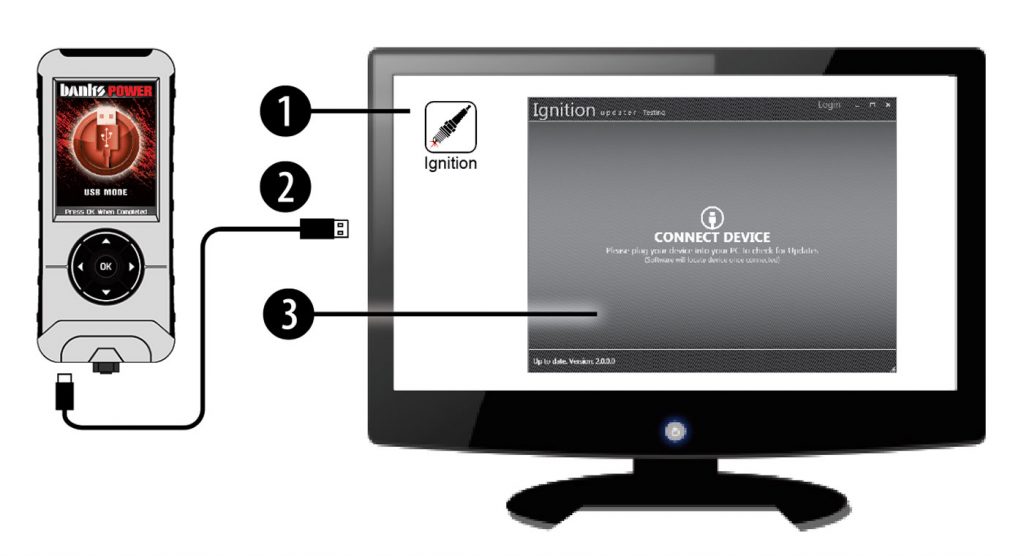



1. Double-click the Ignition Icon located on your computer’s desktop.
2. Connect your device to the computer using the supplied USB cable. (Ignition will automatically search for updated related to your device.)
3. Click the Update button. (The process will start and finish automatically. Once the update is complete, you may be directed to the Online Store. To further update your device using the online store, refer to the following steps.)
4. Click on any or all of the available options. (A checkmark will appear in the upper right corner.)
5. Click the Purchase button.
5. If required, read and accept the disclaimer.
6. Fill in the required information and click ‘Go’ to review. (Here you can check the information you filled in before submitting the order.
7. Click the Place Order button to complete your order.
8. If a purchase was made, follow steps 1-3 above to complete the update.